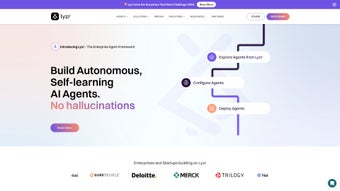

Download Lyzr AI – Enterprise‑Grade Generative AI SDK for Rapid Development
Lyzr AI is a cloud‑native, web‑based Generative AI Software Development Kit designed to give businesses of every size the ability to create intelligent applications at a pace that matches today’s market pressure. By bundling the latest large language models (LLMs) with a suite of pre‑built modules, drag‑and‑drop workflow designers, and secure API endpoints, Lyzr AI eliminates the months‑long development cycles that traditionally accompany AI projects. The platform’s architecture is built around modularity: each component—whether it’s a chatbot engine, a document summarizer, or a multilingual translator—can be plugged into existing codebases with a single line of configuration.
Security is baked in from day one; all data exchanges are encrypted, role‑based access controls are enforced, and the SDK can be deployed on‑premise or within a private cloud to meet strict data‑sovereignty requirements. In addition, Lyzr AI offers 24/7 technical support, professional consulting, and a transparent subscription model that scales with usage, ensuring that startups and Fortune‑500 enterprises alike can access the same high‑performance tools without hidden fees. Continuous model updates from strategic AI partners keep the underlying intelligence fresh, while detailed analytics dashboards provide real‑time insights into latency, usage patterns, and user satisfaction.
Whether you are looking to prototype a conversational assistant in a weekend or embed sophisticated data‑analysis pipelines across a multinational operation, Lyzr AI delivers a secure, scalable, and cost‑effective foundation that turns AI ambition into production‑ready reality.
Key Features & Capabilities
- Modular Generative AI SDK: Ready‑to‑use libraries for chat, summarization, translation, and data extraction.
- State‑of‑the‑Art LLM Integration: Access to the newest transformer models from leading AI labs, with automatic version upgrades.
- Low‑Code Workflow Builder: Visual canvas that lets non‑technical users design conversation flows and data pipelines.
- Enterprise‑Level Security: End‑to‑end encryption, role‑based access control, and on‑premise deployment options.
- Cross‑Platform Compatibility: SDKs available for JavaScript, Python, Java, .NET, and mobile (iOS/Android) environments.
- Scalable Cloud Infrastructure: Auto‑scaling compute resources that adjust to demand spikes without manual intervention.
- Analytics Dashboard: Real‑time monitoring of AI usage, latency, and user satisfaction metrics.
- Dedicated Support & Consultation: 24/7 technical assistance, onboarding workshops, and architecture reviews.
Each of these features is engineered to reduce friction for developers and business users alike. The low‑code workflow builder, for example, replaces dozens of lines of webhook code with a drag‑and‑drop interface, allowing product managers to prototype conversational experiences in minutes. The analytics dashboard aggregates key performance indicators—such as average response time, intent‑detection accuracy, and token consumption—into clear visualizations that drive data‑informed iteration cycles.
Security controls are granular: administrators can define fine‑grained permissions at the model, endpoint, and data‑set levels, ensuring compliance with regulations like GDPR and HIPAA. Because the SDK is delivered as containerized images (Docker, Kubernetes) and also as native language packages, integration into CI/CD pipelines is seamless, whether your stack lives on Windows, macOS, or Linux servers. Finally, the partnership network guarantees quarterly model upgrades and rapid security patches, so applications built today remain cutting‑edge tomorrow without requiring extensive re‑engineering.
Installation, Setup & Compatibility
Getting Lyzr AI up and running is intentionally straightforward, allowing teams to focus on building value rather than wrestling with configuration. After creating an account on the official portal, you receive a unique API key and immediate access to the download hub, where SDK packages are organized by language and platform. The following step‑by‑step guide walks you through the process from registration to a working prototype.
Step‑by‑Step Installation
- Log in to the Lyzr AI portal using your corporate credentials.
- Navigate to the Downloads section and select the SDK that matches your development stack (Node.js, Python, Java, .NET, or mobile).
- Install the package via your preferred package manager:
- npm:
npm install lyzr-ai-sdk - pip:
pip install lyzr-ai - Maven: add the dependency to
pom.xml - NuGet:
Install-Package LyzrAi
- npm:
- Create a secure environment variable file (e.g.,
.env) and store your API key asLYZR_API_KEY. - Initialize the SDK in your codebase:
import lyzr from 'lyzr-ai-sdk'; lyzr.initialize({ apiKey: process.env.LYZR_API_KEY }); - Run one of the bundled starter templates—such as the “Quick Chatbot”—to see a live interaction within seconds.
The installation process is identical across supported operating systems, and the SDK includes detailed README files, sample projects, and an interactive sandbox that lets you test model responses without writing any code. Because the platform is web‑based, the low‑code designer can be accessed from any modern browser, eliminating the need for local IDE extensions.
Operating System Support
Lyzr AI’s SDKs run natively on the following systems:
- Windows 10 and later (64‑bit)
- macOS Catalina and later
- Linux distributions (Ubuntu, Debian, Red Hat, CentOS)
- iOS 13+ (via Swift wrapper)
- Android 8.0+ (via Kotlin/Java library)
Whether you are building a desktop‑class enterprise portal, a mobile assistant, or a cloud‑native microservice, Lyzr AI provides the necessary binaries, container images, and RESTful APIs to integrate seamlessly into any environment. The REST API communicates over HTTPS, making it compatible with legacy systems that may not support the native SDKs, while the Docker images enable rapid scaling on Kubernetes clusters for high‑throughput workloads.
Pros, Cons & Frequently Asked Questions
Pros
- Rapid development with low‑code visual designer.
- Enterprise‑grade security and on‑premise deployment options.
- Broad language support and cross‑platform compatibility.
- Transparent, subscription‑based pricing with no hidden fees.
- 24/7 technical assistance and professional consulting services.
- Regular model updates via strategic AI partner network.
Cons
- Initial learning curve for non‑technical stakeholders.
- Advanced customization may require deeper knowledge of underlying LLMs.
- Higher cost for large‑scale enterprise deployments compared to open‑source alternatives.
FAQ
Is Lyzr AI suitable for small businesses?
Yes. Lyzr AI offers tiered pricing that scales with usage, making it affordable for startups and small teams while still providing enterprise‑level security and feature sets.
Can I run Lyzr AI on my own servers?
Absolutely. The SDK is distributed as encrypted containers that can be deployed on‑premise or within a private cloud, ensuring full data sovereignty.
What level of technical support is included?
All subscription plans include 24/7 ticket‑based support; premium tiers add dedicated account managers and on‑site consulting.
How often are the underlying AI models updated?
Model updates are released quarterly through partnerships with leading AI labs, with critical security patches applied as needed.
Is there a free trial or demo available?
Yes. Prospective users can sign up for a 14‑day free trial that includes full access to all SDK features, sandbox environments, and limited support.
Conclusion – Take the Next Step with Lyzr AI
Lyzr AI distinguishes itself as a comprehensive, secure, and developer‑friendly platform that accelerates the creation of generative AI solutions without sacrificing data privacy or operational reliability. The combination of a low‑code workflow builder, extensive multi‑language SDKs, and enterprise‑grade security controls provides a rare balance of speed and governance—two factors that are often at odds in traditional AI projects. Moreover, the transparent subscription model and generous free‑trial period lower the barrier to entry, allowing teams to evaluate the platform risk‑free before committing to a long‑term license. Whether your roadmap includes a customer‑service chatbot, an automated report summarizer, or a multilingual content generator, Lyzr AI equips you with the tools, analytics, and expert assistance needed to move from prototype to production in record time. If you are ready to transform AI ambition into measurable business outcomes, download Lyzr AI today, follow the quick‑start guide, and let the platform’s built‑in analytics show you the immediate impact of smarter interactions on your users and bottom line.
Lyzr AI delivers on its promise of rapid, secure AI development. The modular design, robust analytics, and seamless deployment options make it a top choice for enterprises seeking scalable AI capabilities.



.png)



